Regular Expression
A regular expression (shortened as regex or regexp), sometimes referred to as rational expression, is a sequence of characters that specifies a match pattern in text. Usually such patterns are used by string-searching algorithms for “find” or “find and replace” operations on strings, or for input validation.
Basic rule for Regex
- Quantifier(限定符):only for one character
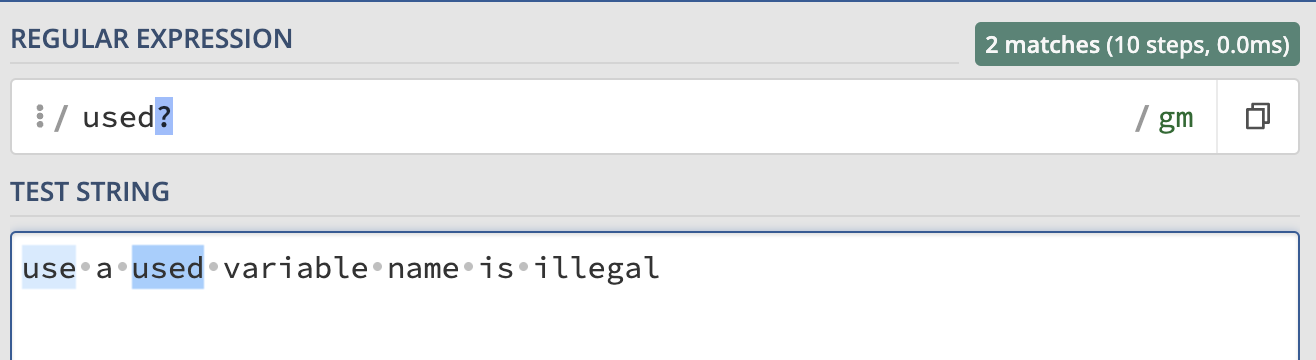
- ?: means the character show up before ? once or zero, for example:
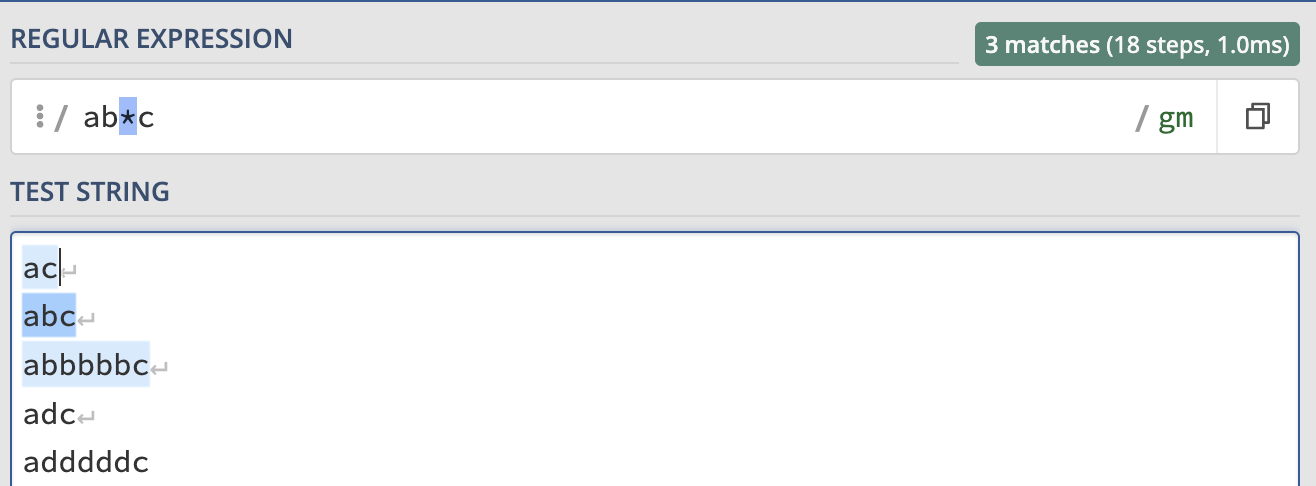
- *: match 0 or more characters, for example:
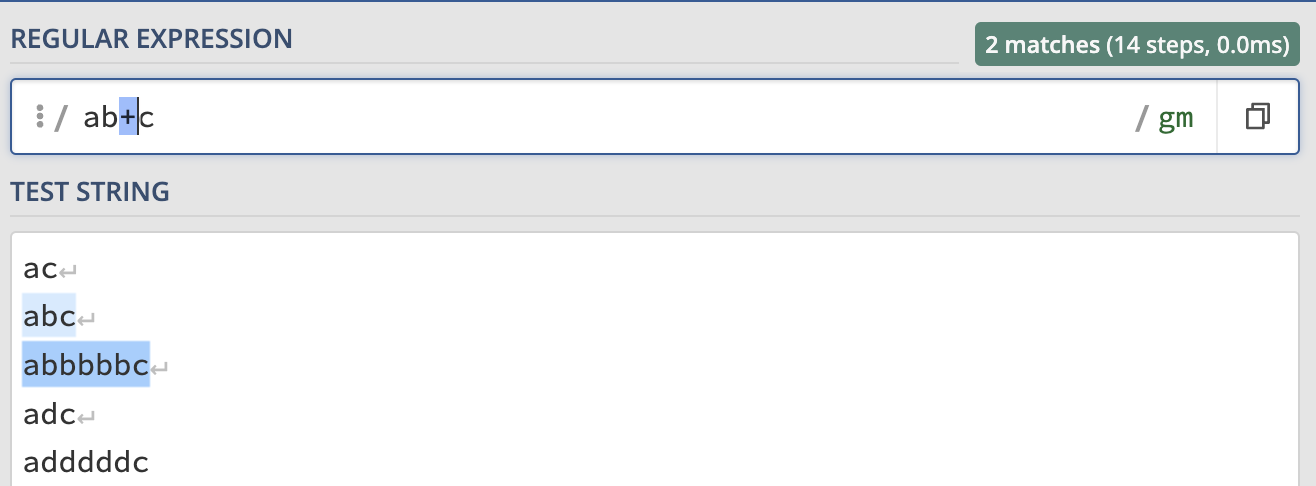
- +: mathch 1 or more characters, for example:
 if we want to specify the numbers a character appears, we can use {} and specify the number inside the {}, for example:
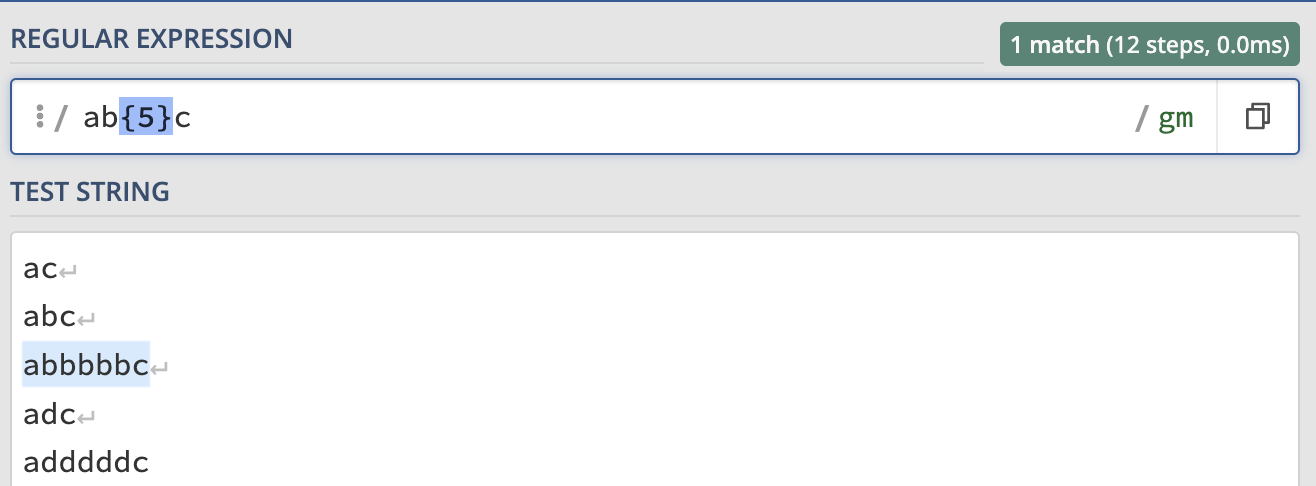 we can also specify to a range or scope, such as b{2, 5} so it will match the bb, bbb, bbbb, bbbbb:
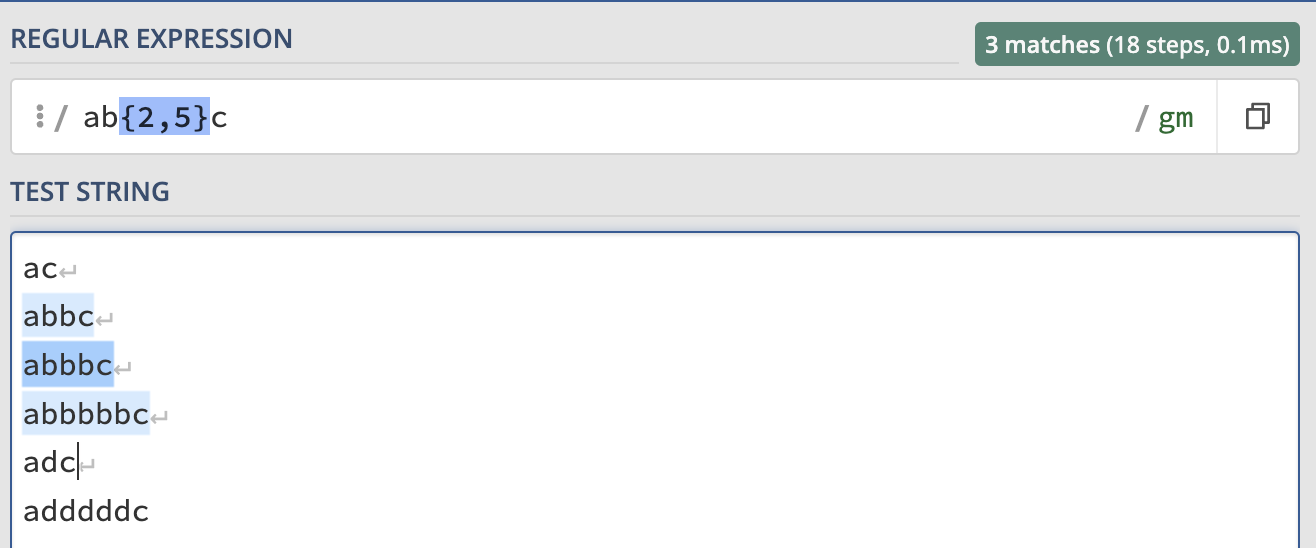 or we can omit the number 5 like b{2,}, it match the same thing as before.
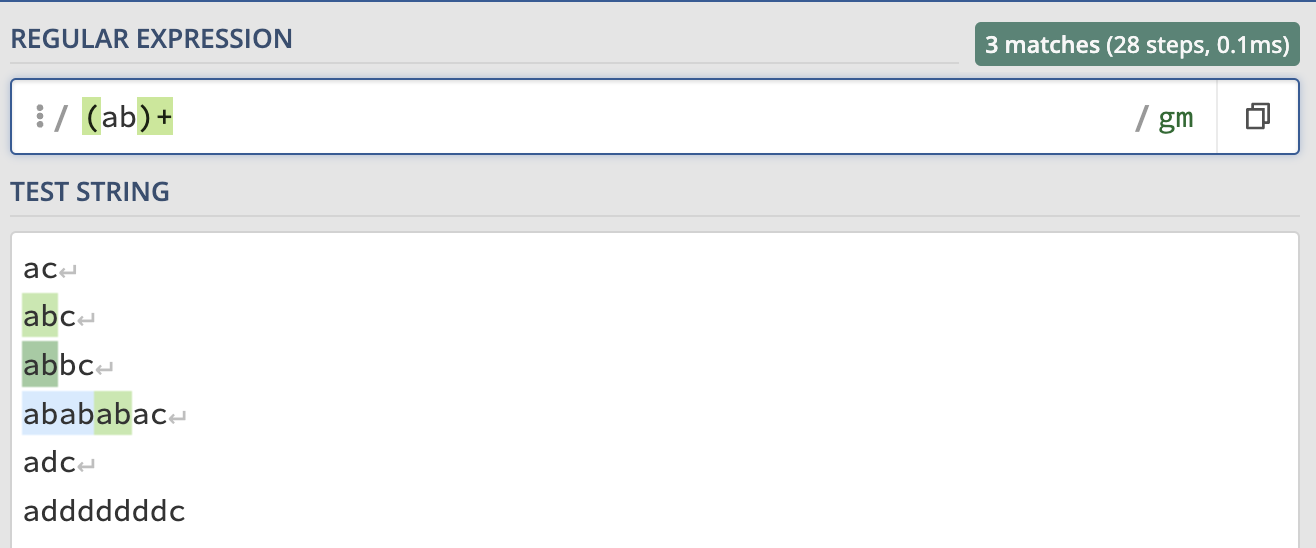
If we want to match more characters, we can use ():
-
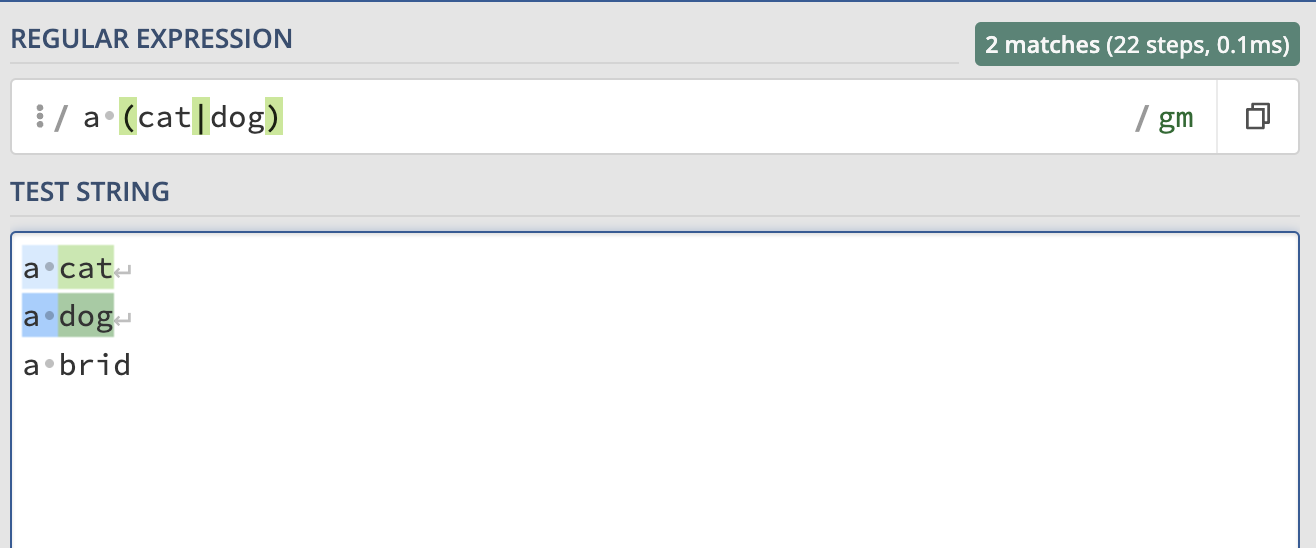
Or operator |
-
Character Classes []
Character classes are used to represent sets of characters that you would like to match. For example:
![Character Classes[]](/img/regex8.png) or [a-z] it will match all the lower case letter, [A-Z] match all the upper case letter.
or [a-z] it will match all the lower case letter, [A-Z] match all the upper case letter.
![Character Classes[]](/img/regex9.png)
-
Anchor ^
The behavior of ^ can change based on the context:
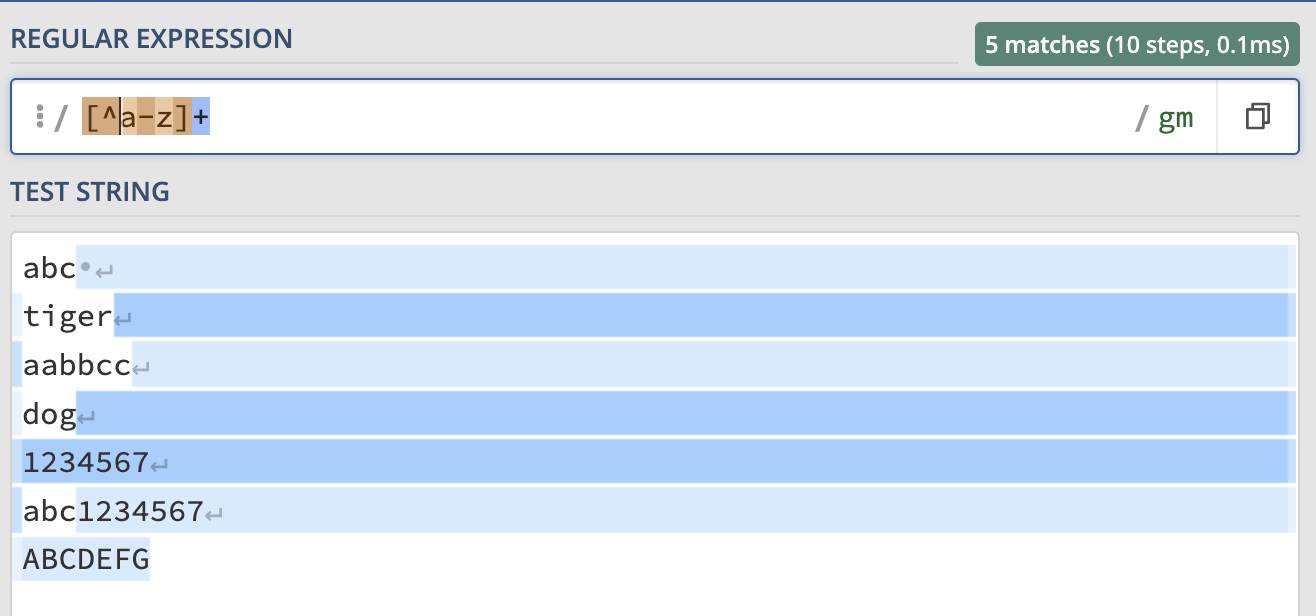
- Inside a character classes (denoted by square brackets ), ^ negates the set. So, [^a-z] matches any character that is not a lowercase letter from ‘a’ to ‘z’:
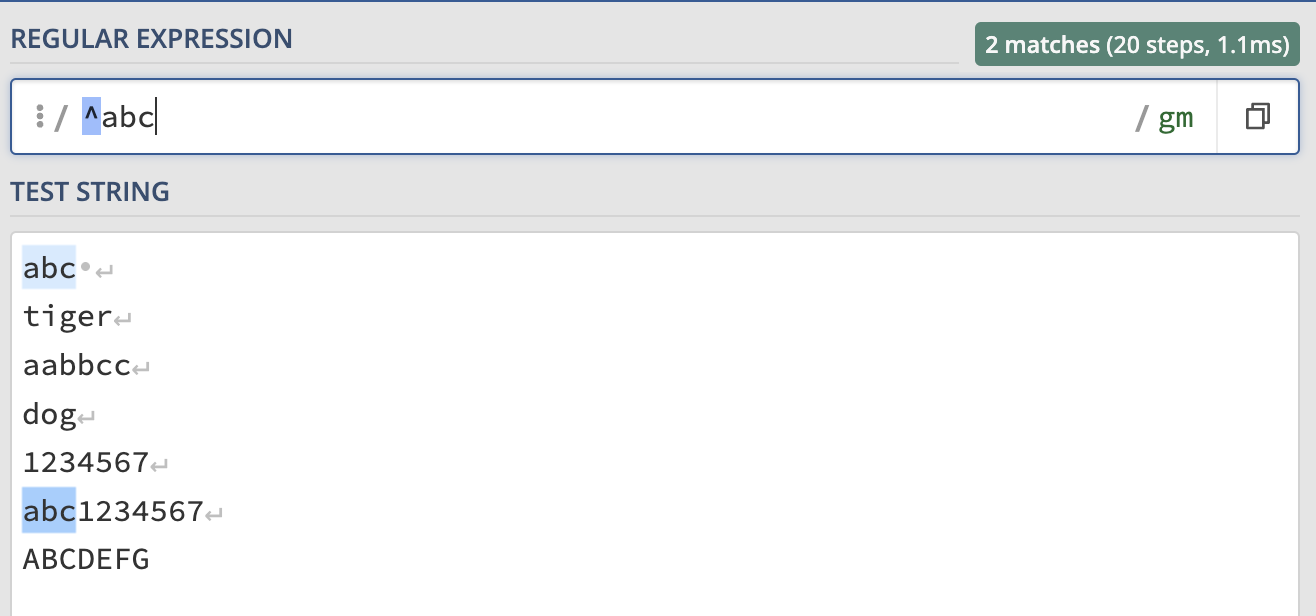
- ^abc: This pattern matches any string that starts with “abc”. For example, it would match “abcde” but not “zabc”:
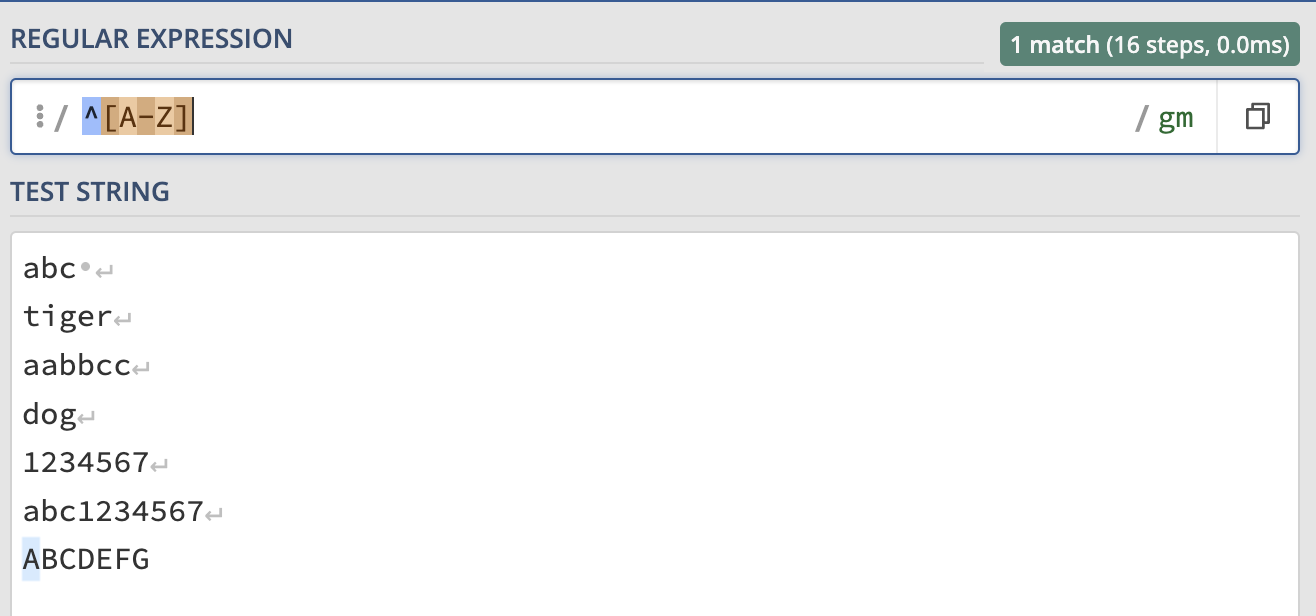
- ^[A-Z]: This pattern matches any string that starts with a capital letter. It would match “Hello” but not “hello”:
- Meta characters (元字符)
- \d: digit equivalent to [0-9]
- \w: all english characters, numbers, and underscore
- \s: any whitespace character including space, tab, newline etc.
- .: means everything but newline
- ^: to match the beginning of the line
- $: to match the end of the line
Notes: All \with uppercase letter such as \D, \W, \S etc has the negate meanings.
Advanced rule
- Greedy and Lazy match
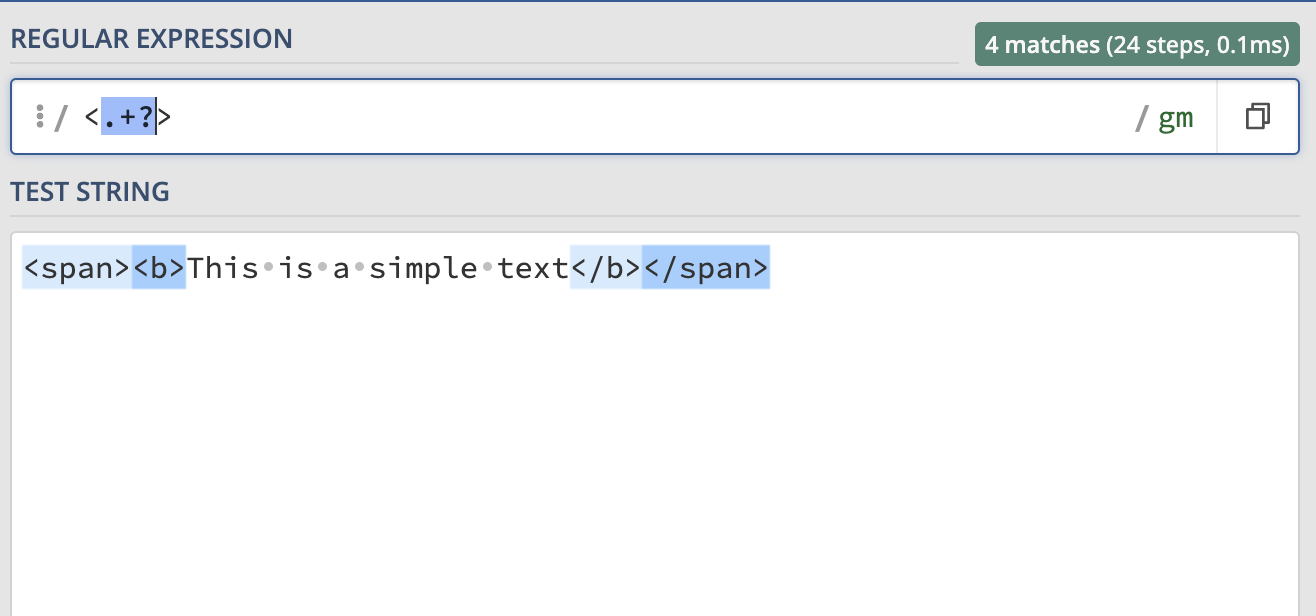
Greedy quantifiers try to match as many times as possible, while lazy quantifiers try to match as few times as possible. For example, if we want to match all the <> tag below, we can do:
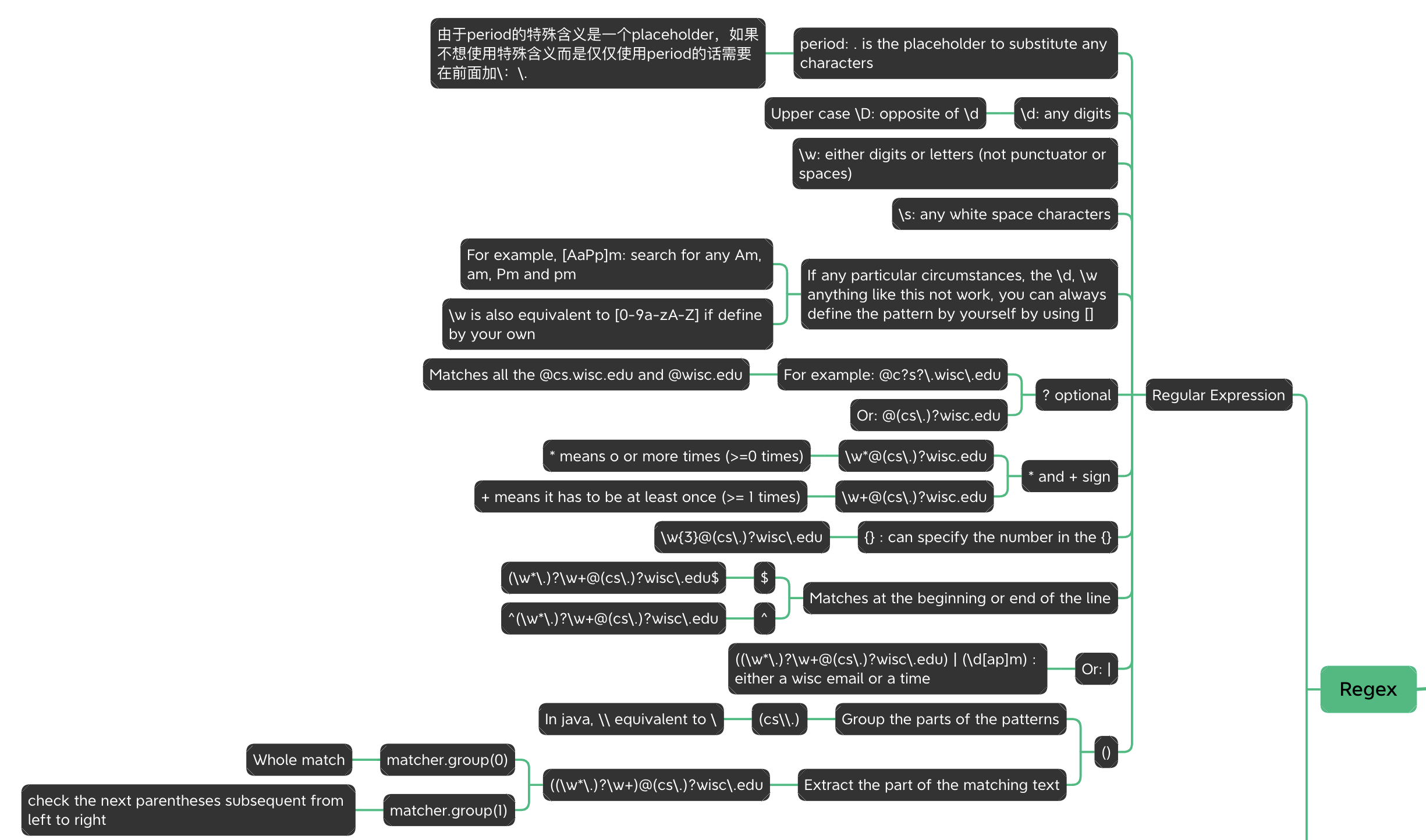
Here is the overall view of the Regex operator:
Reference:
regex101: an nice editor with an interactive visualization of what your regex match
regexone: a site with some nice descriptions and interactive practice problems